The honest photo cleaner.
CleanCut finds exact copies, near-duplicates, screenshot clutter, blurry shots, old receipts and expired codes, and lets you search your library by objects, words and people. It never deletes anything by itself, and nothing ever leaves your iPhone.
Get CleanCut for iPhoneHow deletion works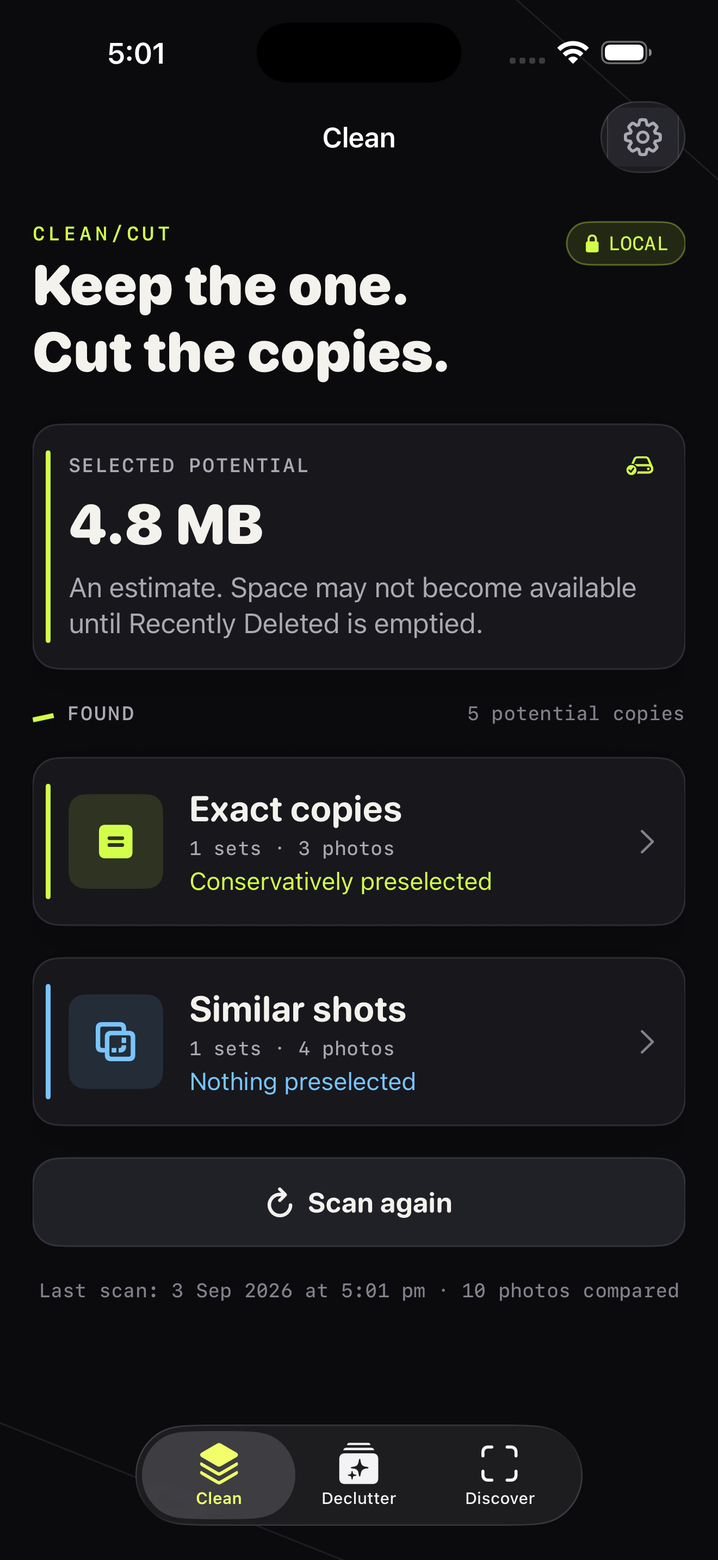
Clean. Declutter. Discover. Vault.
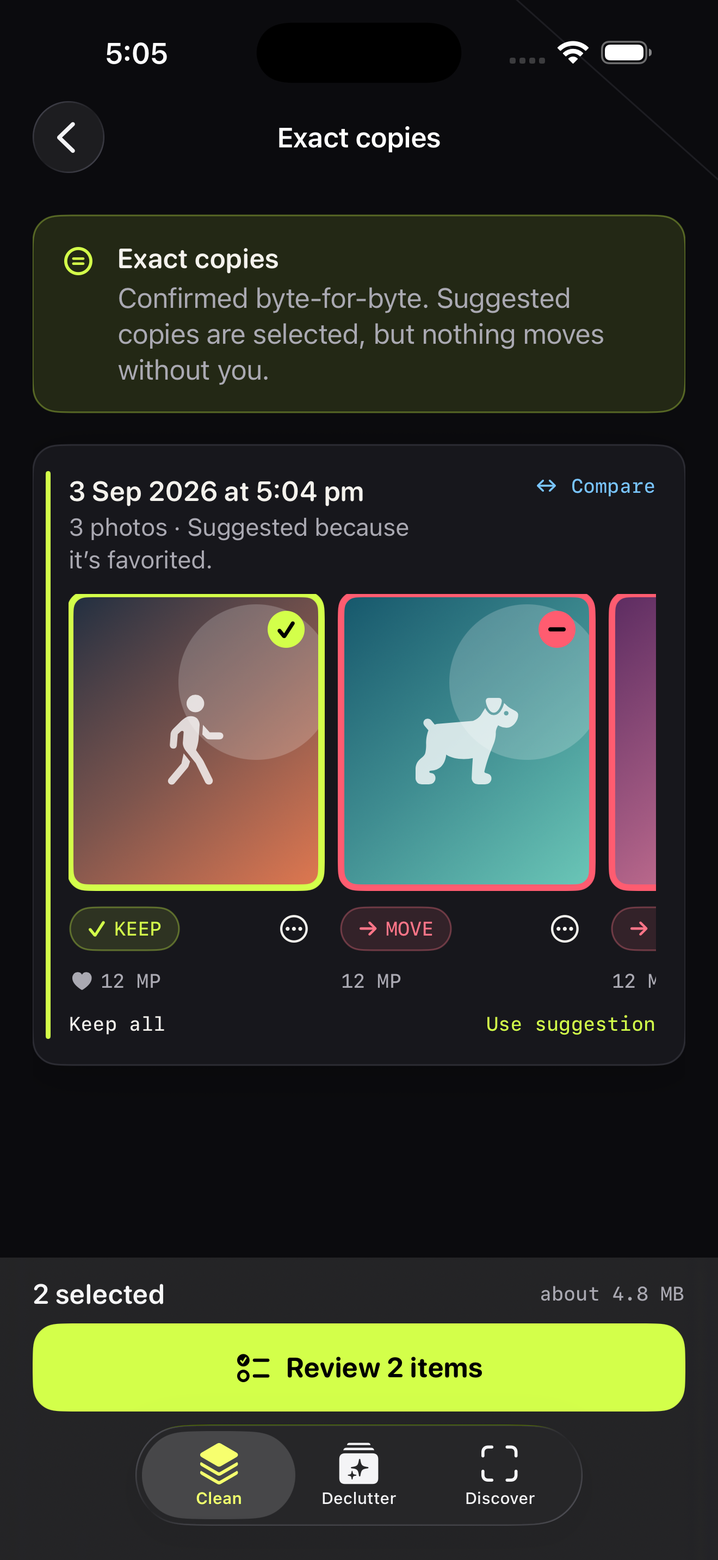
Every result is a suggestion you review, never a verdict. CleanCut shows you exactly what will be kept and what will move before Photos asks for its own confirmation.
Exact copies, proven byte for byte
A fast image-hash pass finds candidates; the originals are then hashed again the moment before deletion, so an edited photo can never be removed as a "copy".
Similar shots, nothing preselected
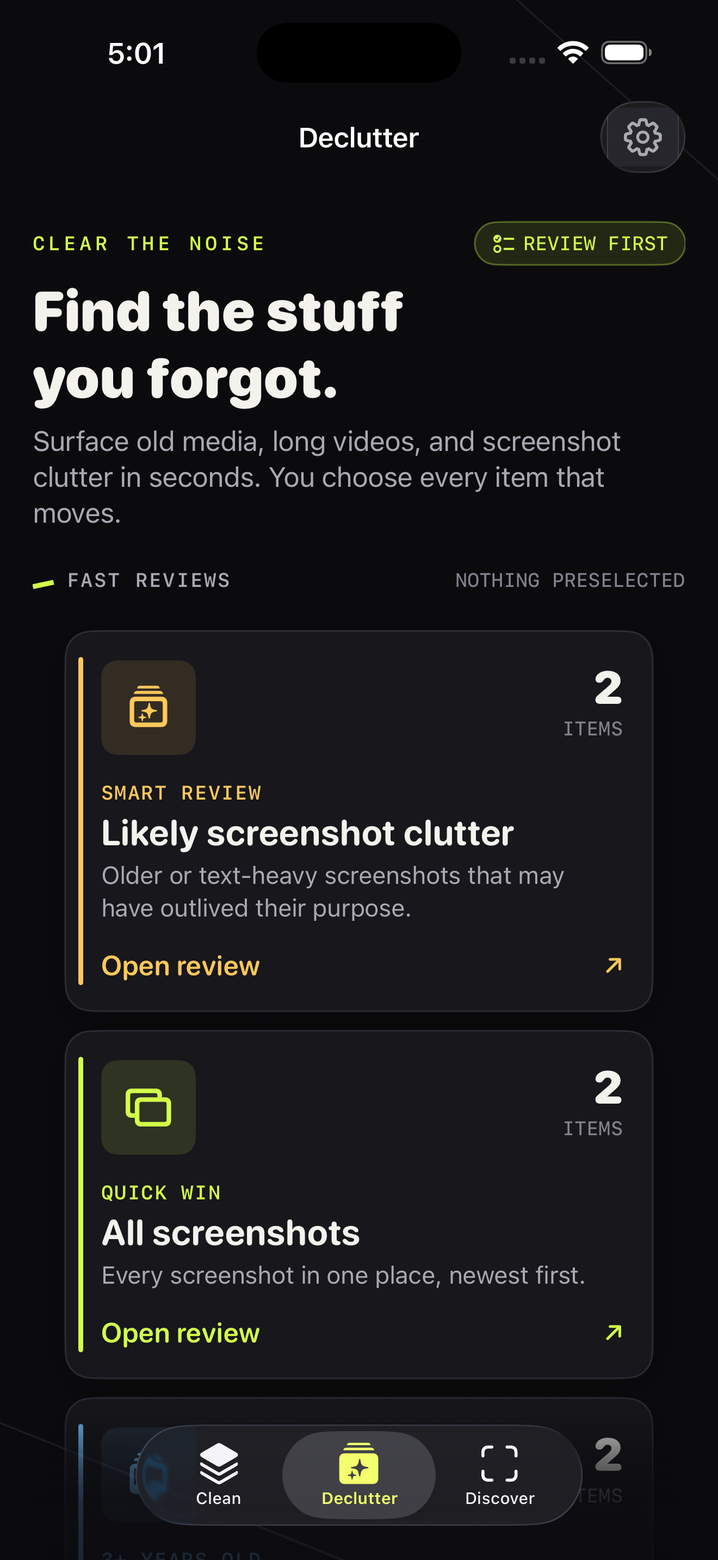
Bursts and near-misses are grouped side by side. You pick the keeper. Favourites and edited photos are never suggested for removal.
Fast reviews that actually help
All screenshots, likely clutter, older photos and videos, long videos, blurry shots, rapid-fire sequences, same-spot repeats and late-night screenshots.
Codes, passwords and card numbers
On-device text recognition flags screenshots holding one-time codes, passwords, card or account details so you can clear what has expired. A security review, not a tidy-up.
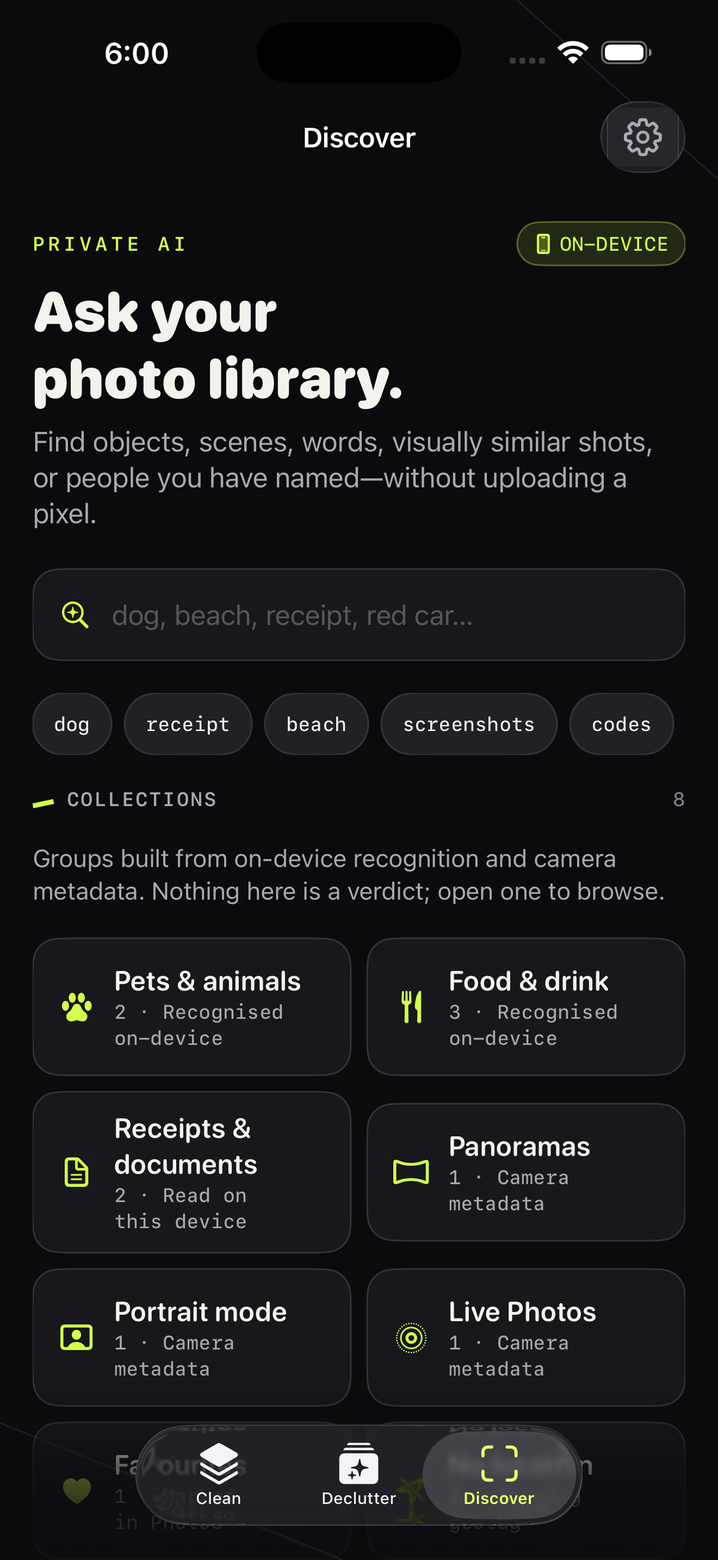
Search by object, word or person
"Receipt", "dog", "red car", a word inside a screenshot, or a name you assigned. Collections for pets, food, receipts, IDs and passes, QR codes, panoramas, portraits and trips.
People that get sharper as you answer
Name a face, confirm or reject suggestions, move faces between people. Every answer tightens the next round. There is never an identity claim: you decide.
Codes, IDs and receipts, locked behind Face ID
Secure a photo and it is encrypted with a key that never leaves the device, blurred until you reveal it, and can leave your camera roll. Merchant, total, date, document number and expiry are read for you; every value copies with a tap.
Copy text from any photo
One tap reads the text in a screenshot, receipt or card on-device so you can paste a code, an ABN or a booking reference without retyping. Receipts and IDs can also be filed into “CleanCut” albums inside Apple Photos, so it enhances Photos rather than replacing it.
Five steps, and you hold every one.
Nothing leaves your iPhone. Not a pixel, not a word.
No account, no analytics SDK, no advertising SDK, no upload service, no network calls. Analysis uses Apple's on-device frameworks. Read the full privacy policy.
- ✓Photos are read only through Apple's Photos permission, and only the ones you allow.
- ✓The private search index lives inside the app's own container with complete file protection, excluded from backups.
- ✓Places in "Trips" are never named, because naming them would require sending coordinates to a server.
- ✓One tap in Settings erases the index. Uninstalling removes everything.
- ✓Face suggestions are review-only. CleanCut never states that two people are the same.
No subscription.
Scan, review and search for free. A single in-app purchase unlocks moving photos to Recently Deleted, forever, on every device signed into your Apple Account. The exact price is shown in your local currency in the App Store.
Family Sharing is supported. Restore Purchases reinstalls the unlock at no charge. Refunds are handled by Apple through reportaproblem.apple.com.
Download on the App StoreStraight answers.
Will CleanCut delete anything on its own?
No. It never has and never will. Every removal is a selection you make, followed by Apple's own confirmation sheet, and items go to Recently Deleted where you can restore them for 30 days.
Does anything get uploaded?
No. There is no server. Duplicate detection, text recognition, face detection, blur estimation and search all run on your iPhone with Apple's frameworks.
Why didn't my storage go down straight away?
iOS keeps deleted items in Recently Deleted for up to 30 days. Open Photos → Albums → Recently Deleted and empty it to reclaim the space immediately.
Is the face feature facial recognition?
It is visual similarity ranking that you confirm or reject. It does not identify people, does not auto-name anyone, and gets better only from your answers.
How safe is the Vault?
Each secured photo and its details are encrypted with AES-GCM using a 256-bit key stored in the iOS keychain as “this device only”, gated by Face ID, Touch ID or your passcode. The vault is excluded from backups and locks whenever CleanCut leaves the screen. Erase it any time from Settings.
Which devices are supported?
iPhone and iPad running iOS 17 or later. On-device language model features use iOS 26 where available and fall back gracefully elsewhere.